Golf carts are a popular mode of transport on golf courses and in communities. However, a dead golf cart battery can halt your adventures. Many individuals face this frustrating scenario. Understanding how to revive a dead golf cart battery is crucial for any owner.
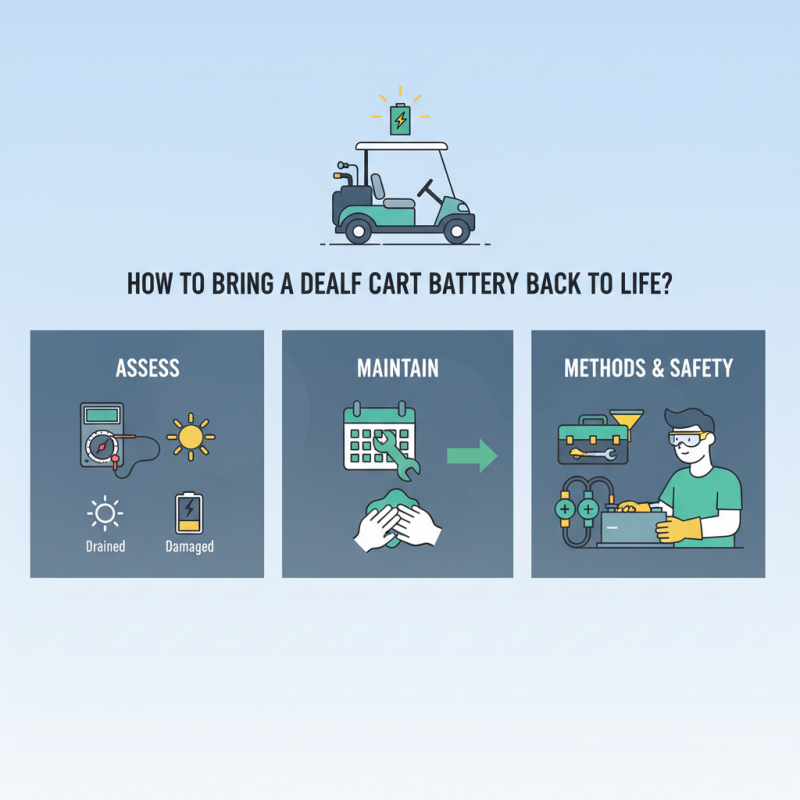
Reviving your battery is not just about switching it on. It requires knowledge and careful handling. You must assess the situation accurately. Is the battery simply drained, or is it damaged? This distinction is vital. Many people overlook the importance of regular maintenance, leading to preventable issues. Being proactive can save time and money.
There are various methods for resurrection. Each method has its pros and cons. Safety should always be a priority. Using the right tools is essential. In addition, you should always wear protective gear. Even experienced individuals may face challenges. Mistakes can happen, and learning from them is part of the process. Understanding how to revive a dead golf cart battery will enhance your skills and knowledge as an owner.
Understanding the causes of a dead golf cart battery is crucial for effective maintenance. Research indicates that improper charging is a leading factor. Nearly 30% of battery failures stem from overcharging or undercharging. This damages the battery cells, leading to diminished performance and life expectancy.
Another significant cause is sulfation. This occurs when lead sulfate crystals build up on the battery plates due to inactivity or insufficient charging. Studies suggest that around 40% of lead-acid battery issues involve this problem. Regular usage and proper charging protocols can mitigate this risk. Additionally, ambient temperature significantly impacts battery health. A study highlighted that temperatures above 90°F can reduce battery efficiency by up to 50%.
Awareness of battery age is also important. Batteries typically last between 5 to 7 years. As they age, their capacity diminishes, making them more prone to failure. Persistent issues might indicate a need for replacement rather than repair. Understanding these factors is essential for prolonging battery life and ensuring reliable golf cart operation.
Reviving a dead golf cart battery can be a straightforward task if you have the right tools and materials at hand. Start with a good quality multimeter. This device helps you measure battery voltage accurately. It’s essential for diagnosing the condition of your battery. Another useful tool is a battery charger. Choosing a charger compatible with your battery type is crucial. A smart charger can help prevent overcharging.
You will also need some basic safety gear. Gloves and goggles protect you from battery acid. They ensure safety while you handle potentially hazardous materials. Keep baking soda on hand. If corrosion is present, a mixture of baking soda and water can neutralize the acid. A soft brush can help clean terminals without damaging them.
It's important to reflect on your battery's history. Batteries often fail due to neglect. Regular maintenance can prolong their life. Charging your battery regularly is a pact you must uphold. Taking the time to check connections and clean terminals can make a difference. All these details may seem small but they play a big role in battery health.
Recharging a dead golf cart battery can be straightforward, but it requires careful attention. Start by inspecting the battery for any visible damage. Check the terminals for corrosion, as this can hinder the charging process. A clean connection is essential. Use a mixture of baking soda and water to clean the terminals if necessary.
Next, prepare your charger. Make sure the charger is compatible with your battery's specifications. Connect the charger leads: positive to positive, and negative to negative. Turn on the charger and monitor the charging process. It is crucial to avoid overcharging. Some chargers can automatically stop when the battery is full, but others require vigilance. If you notice the battery swelling or leaking, disconnect it immediately.
This process can be a trial-and-error situation. Sometimes, a battery may not respond well, even after following these steps. It can be frustrating, but learning from each attempt provides valuable insights. Consider keeping a log of each charging session, noting any issues encountered. This can aid in future troubleshooting and help you develop a better understanding of your battery’s needs.
Maintaining the health and longevity of your golf cart battery is essential. Regularly checking the water levels and keeping connections clean can prevent premature battery failure. According to a study by Battery University, proper maintenance can extend a lead-acid battery's lifespan by over 25%. This aspect cannot be overstated.
Using distilled water is crucial. Tap water contains minerals that can harm the battery. Additionally, ensure the battery is fully charged before storage. A report from the National Renewable Energy Laboratory indicates batteries that sit discharged for an extended period can lose up to 40% of their capacity.
Temperature also plays a significant role. Maintaining your battery in moderate conditions can enhance its performance. Extreme temperatures can lead to irreversible damage. Many golf cart owners often overlook this detail, thinking any environment is suitable. Regularly monitoring your battery's voltage can also help. A battery dropping below 12.4 volts indicates a need for recharging.
When assessing a dead golf cart battery, several signs may indicate that it can't be revived. One primary indication is a significantly reduced voltage. A healthy battery should read around 12.6 volts when fully charged. If the voltage drops below 12 volts, it may no longer hold a charge effectively. Additionally, physical signs like swelling or leakage should raise immediate concerns. According to industry reports, batteries displaying these symptoms often cannot be salvaged.
Another indicator is a failure to accept a charge. If, after plugging in the charger, the battery does not show signs of charging, such as a change in voltage, it may be time to replace it. Many experts suggest that if a battery fails to charge after multiple attempts, it may be irreparable. It's crucial to monitor the health of your battery regularly to catch these signs early.
**Tips:** Ensure your battery remains clean and free from corrosion to prolong its life. Inspect terminals frequently and clean them using a mixture of baking soda and water. Also, consider investing in a smart charger. These chargers adapt to battery conditions and can help maintain battery health. Remember, consistently falling voltages indicate that routine maintenance is lacking. Regular check-ups can also prevent unexpected failures.
| Sign | Description | Potential Action |
|---|---|---|
| Corrosion | Visible corrosion on battery terminals, showing signs of rust or build-up. | Clean terminals; replace battery if severe. |
| Low Voltage | Battery voltage significantly lower than standard levels (e.g., below 12V for 12V batteries). | Attempt to charge; if unable, consider replacing battery. |
| Physical Damage | Cracks, leaks, or other visible physical damage on the battery case. | Replace battery immediately for safety reasons. |
| Bulging or Swelling | Battery case shows signs of bulging, indicating failure. | Dispose of battery properly; do not attempt to charge. |
| No Reaction | Battery does not take a charge or show any activity when connected. | Consider replacing; use multimeter for testing. |
: Improper charging is a leading cause. Overcharging or undercharging damages the battery cells.
Sulfation causes lead sulfate crystals to build up. This often results from inactivity or insufficient charging.
Temperatures above 90°F can reduce battery efficiency by up to 50%. Keep batteries cool for better performance.
They last between 5 to 7 years. Aging batteries are more prone to failure and may need replacement.
A multimeter, a compatible battery charger, gloves, goggles, and baking soda are crucial tools.
Corrosion on terminals hinders charging. Cleaning them ensures a better connection and improves battery health.
Keep a log of each charging session. Note any issues encountered to aid in future troubleshooting.
Disconnect it immediately. Swelling can be a sign of a serious issue needing attention.
Yes, neglect often causes batteries to fail prematurely. Regular checking and cleaning can prolong life.
Sometimes, despite following steps, a battery may not respond. Learning from these attempts is essential.
In the article titled "How to Bring a Dead Golf Cart Battery Back to Life?", readers are guided through a comprehensive understanding of the common causes that can lead to a dead golf cart battery. This includes factors such as overuse, lack of maintenance, and environmental conditions. The article outlines essential tools and materials needed for reviving a dead battery, ensuring readers are well-equipped for the task at hand.
Furthermore, the step-by-step guide provides detailed instructions on how to revive a dead golf cart battery, enabling users to follow along easily. To enhance battery health and longevity, the article offers practical tips for maintenance, helping to prevent future issues. Finally, signs indicating that a battery cannot be revived are discussed, ensuring users can make informed decisions about their battery's life. Overall, this article serves as a valuable resource for anyone looking to learn how to revive a dead golf cart battery effectively.

NexBolt Charger